Use quick-pick pairs
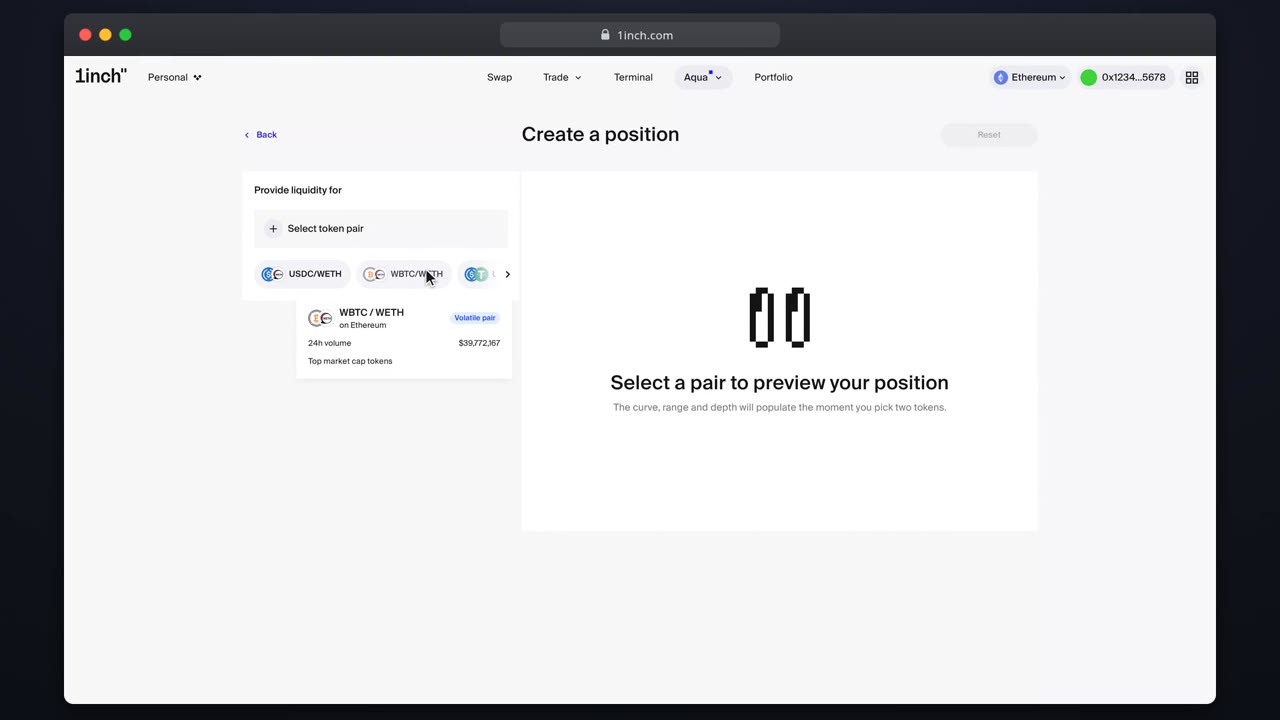
Quick-pick chips surface pairs from your balances and market activity. One tap opens a configured builder.
Chapters
- 0:00The quick-pick chips
- 0:09Quick-pick categories
- 0:26Applying a quick pick
- 0:34Adjusting afterwards
What you'll learn
- Where the quick picks come from
- What each quick-pick category means
- When to prefer the full picker
Step by step
- 1
Read the chips
Above the pair selector, chips surface pairs with a category label.
- 2
Tap one
The builder loads the pair with market data and a pre-filled configuration.
- 3
Check the category
Shared-balance picks can be backed by tokens already in your wallet.
- 4
Fine-tune
Everything stays editable: range, fee and amounts are yours to adjust.
Related tutorials
This flow is automatically verified on every release.